
How to make an AI Christmas video
Four Christmas videos you can make in about two minutes: yourself as one of Santa's elves, Santa caught on the home camera, you inside a snow globe, and a festive intro for your logo. Every clip on this page was made on GenTok.
Four Christmas videos to make
Each one is an effect: you bring the photo, the words or the logo, and it brings the scene, the camera and the light.
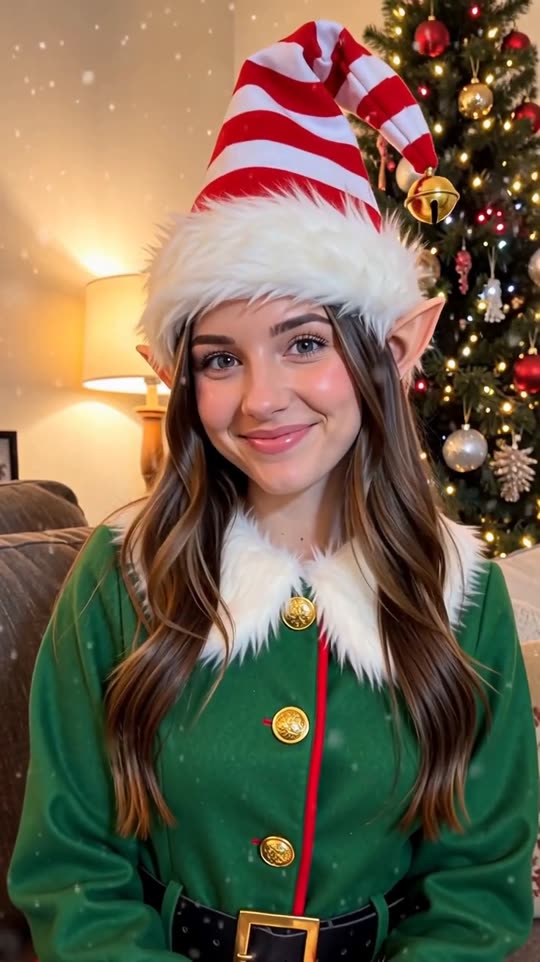
Christmas elf
Watch yourself turn into one of Santa's elves: pointy ears, a green and red elf jacket and a striped hat with a little bell, while snow starts to fall around you. Still clearly you, and as cheerful as Christmas gets.
- Starts from:
- One photo of you
- Price:
- About 42 credits for 5 seconds on Premium
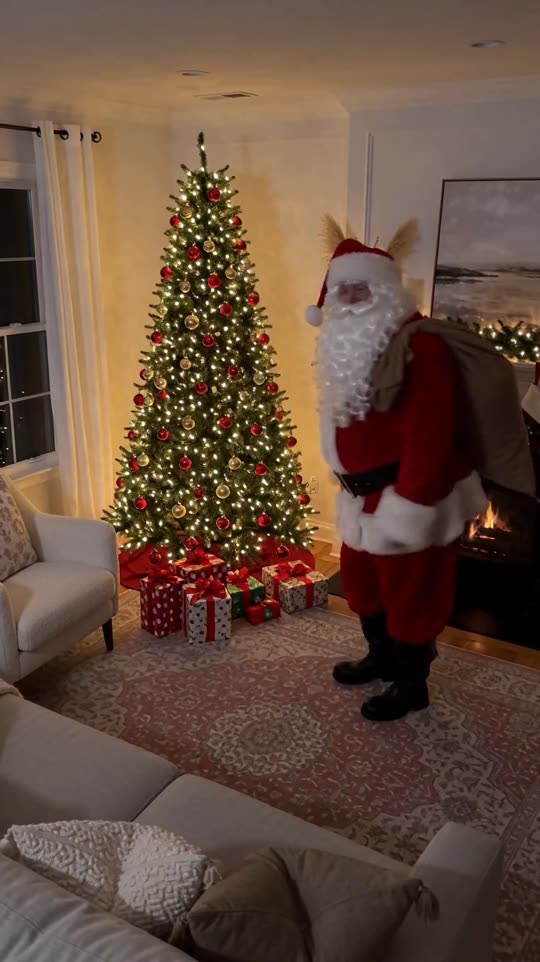
Santa caught on camera
A home camera high in the corner of the living room catches Santa on Christmas Eve: he tiptoes past the tree, leaves the presents and helps himself to a cookie. Type what Santa does; the camera, the tree and the late-night look come from the effect.
- Starts from:
- A few words about what happens
- Price:
- About 20 credits for 5 seconds on Fast, or 42 on Premium, where the examples were made
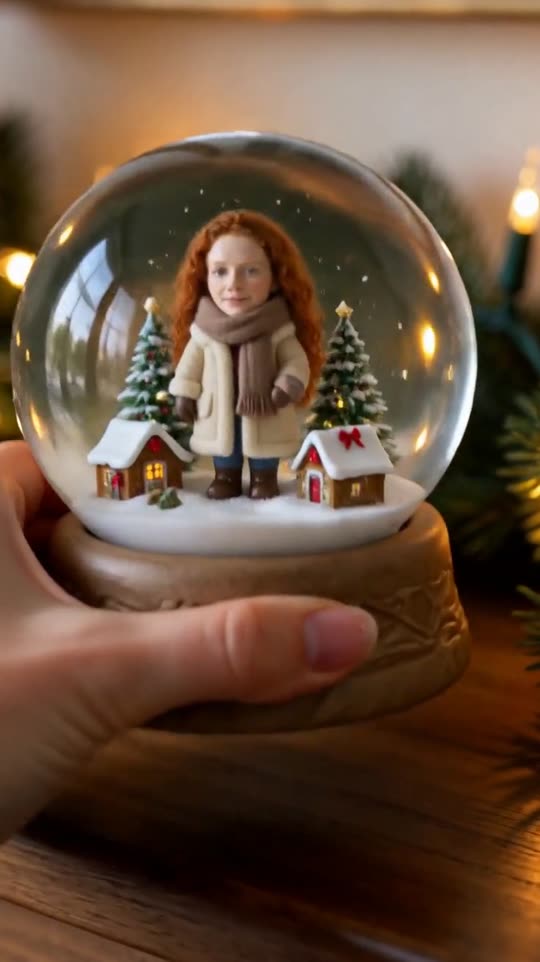
Snow globe
Your photo becomes a tiny figure in a glass snow globe on the mantelpiece: a hand gives it a shake and snow swirls around you in a little winter village. Cute, cozy and made from one photo.
- Starts from:
- One photo of you
- Price:
- About 22 credits for 5 seconds, or 44 on Premium

Christmas logo intro
A Christmas version of your brand's intro: golden sparkles, snowflakes and tiny fairy lights swirl together into your logo, which settles with a warm glow as snow keeps falling. Ready for holiday posts, ads and greetings.
- Starts from:
- Your logo
- Price:
- About 42 credits for 5 seconds on Premium
All of them in one place: AI Christmas video effects. For a logo all year round, see how to animate a logo with ai.
Step by step
- 1Pick an effectChristmas elf, Santa caught on camera, Snow globe or Christmas logo intro. The form opens in your browser; you need a free account only when you press Create.
- 2Add your photo, your words or your logoA photo of you looking at the camera for the elf and the snow globe, what Santa does for the camera, your logo for the intro.
- 3Pick the formatVertical 9:16 for TikTok, Reels and Shorts, wide 16:9 for YouTube, or square 1:1 for a feed. The price shows before you create.
- 4CreateYour MP4 is ready in about two minutes, in your library.
- 5Download and sendSend it as a Christmas card in a chat, or post it wherever you like.
Your photo
One person, looking at the camera
The elf and the snow globe keep your face, so give them a clear one: good light, nothing covering it, you looking into the lens.
PNG, JPG or WebP, up to 10 MB
A photo straight from your phone is fine. Drop it, paste it or pick the file.
Yours, or with permission
Upload a photo of a real person only if you are that person or they have agreed to it, as our Content Policy asks.
Send and post
Every video downloads as an MP4. Send it as a Christmas card in a chat or an email, or post it on TikTok, Reels or Shorts. Santa on the camera is a made-up scene that looks real, so say it is made with AI when you post it.
Questions
- How do I make an AI Christmas video from a photo?
- Open Christmas elf or Snow globe, upload a photo of you looking at the camera, pick vertical, wide or square and press Create. The video is ready in about two minutes.
- Can I make a video of Santa visiting at night?
- Yes. Santa caught on camera makes a clip that looks like home camera footage from Christmas Eve: type what Santa does, for example “Santa eats the cookies and drinks the milk”. The living room, the tree and the late-night look come from the effect. It is a made-up scene, not footage of your home.
- How much does an AI Christmas video cost?
- A 5-second Christmas elf or Christmas logo intro is usually about 42 credits, a snow globe about 22, and Santa caught on camera about 20 on Fast. Every video shows its price in credits before you create it, and a video that does not finish gives its credits back.
- Can I make a Christmas video for my business?
- Yes. Christmas logo intro turns your logo into a festive intro of golden sparkles and snow, ready for holiday posts and ads. Download the MP4 and post it anywhere, including for your business. Only upload logos you own or have the right to use.
- Can I send it as a Christmas card?
- Yes. Download the MP4 and send it in any chat or email, or post it on TikTok, Reels or Shorts. Label realistic clips, like Santa on the camera, as AI-generated when you post them.
- Can I use a photo of someone else?
- Only with their permission: upload a photo of a real person only if you are that person or they have agreed to it. Our Content Policy has the details.